What is an aesthetic pomodoro timer?
An aesthetic pomodoro timer is a pomodoro timer designed to look calm and pleasant on your screen, with soft colors and backgrounds, so a study session feels inviting. It keeps the classic 25/5 rhythm and lets you change it for free.
It's the same timer as the rest of this site. The countdown sits in your tab title, your task stays under the timer, and nothing plays until you ask it to.
How to set up an aesthetic study session
- Pick a theme. Tap a theme above the timer. It stays picked next time you visit.
- Go full screen. Press the Full screen button on the timer to hide everything else.
- Play your own music. Lofi, a playlist, rain sounds in another tab. The timer won't stop it.
- Press Start. Write the task first if you like. Then study until the disc runs out.
Aesthetic pomodoro timer themes
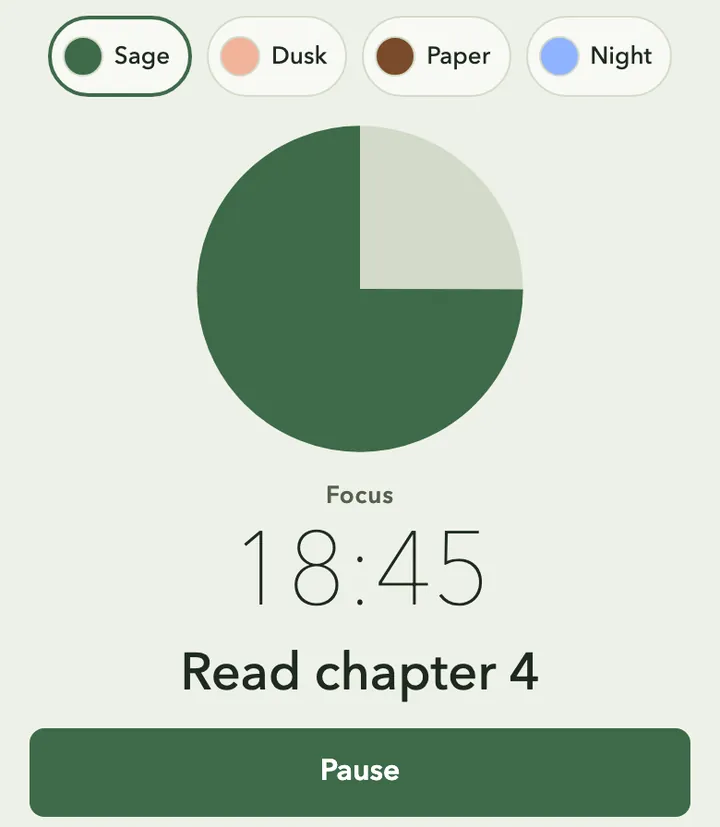
Sage: soft green and cream, easy on the eyes in daylight. 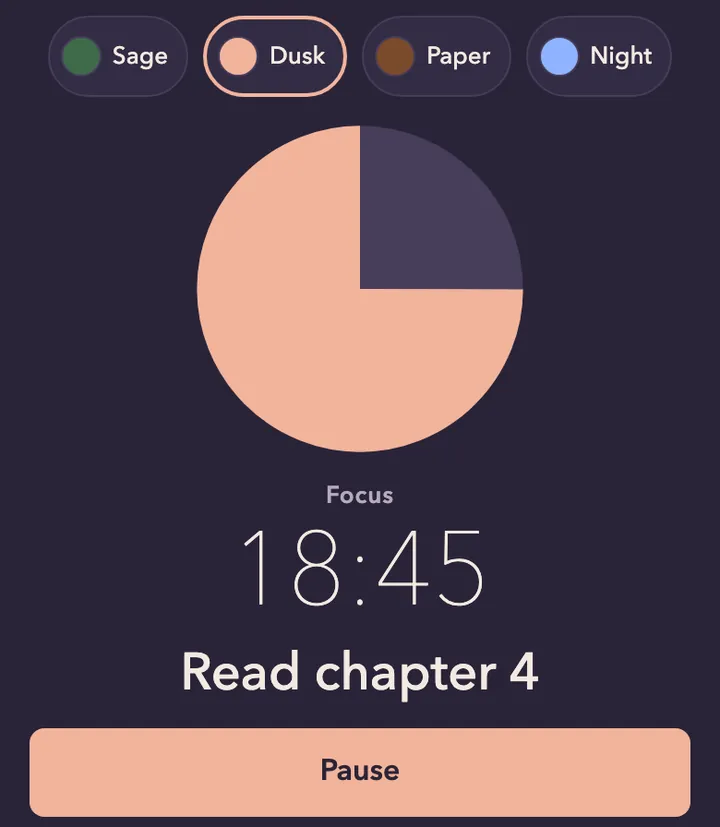
Dusk: muted purple and peach for evening study. 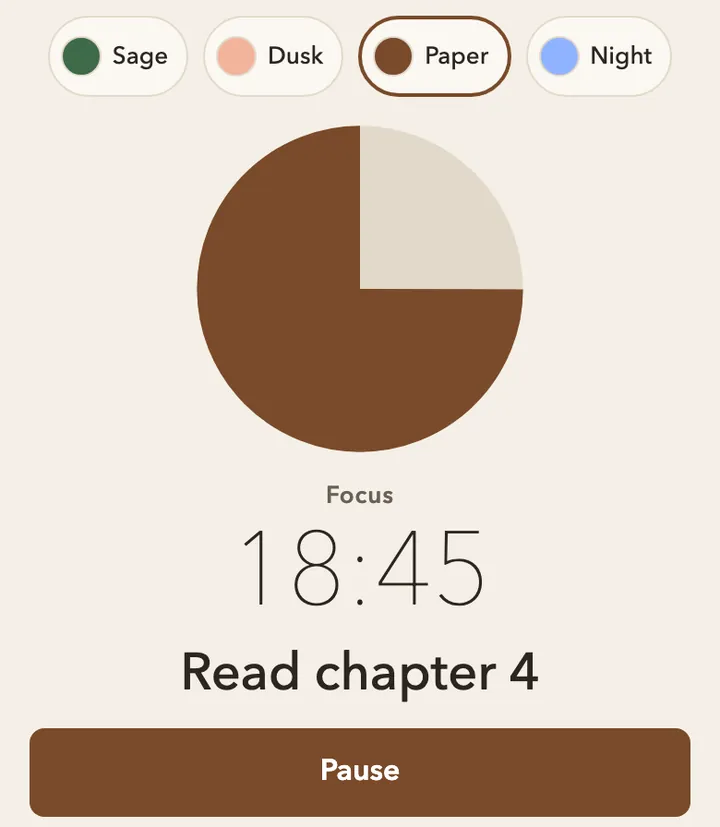
Paper: warm off-white with dark text, close to a printed page. 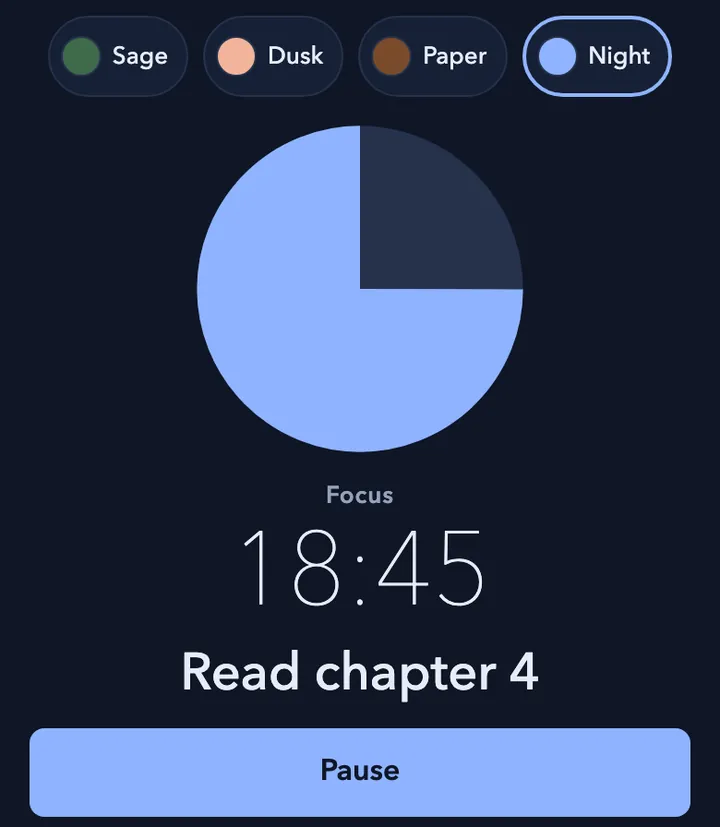
Night: deep blue with a dim ring, for late sessions in a dark room.
Compare: this timer vs a study-with-me video
| Option | Session length | Look | Music | End of a block |
|---|---|---|---|---|
| This timer | Any length from 1 to 120 minutes, free | Pick from the themes above | Yours; the timer is silent by default | Screen flashes; optional short chime |
| A study-with-me video | Set by the video | The creator's room or scene | The video's own audio | Whatever the video does |
A study-with-me video is good company. A timer you control is better when you need a different length or your own music.
Tips for a longer study session
- Write one task per round. "Read chapter 4" works better than "study". When the round ends, it moves to Done today, so you can see what you got through.
- Keep the break on the clock. Five minutes to stretch or refill your water. Starting the break timer means it ends on time.
- Change the length to fit the work. Reading may suit 25 minutes; practice problems may suit 45. Switch anytime, for free.
- Keep your phone out of reach. The countdown is already in your tab title, so you don't need your phone to check the time.
- Pick a theme you won't fiddle with. Choose once, then leave it. Changing themes mid-round is just another way to stop studying.
Aesthetic pomodoro timer FAQ
What is a cute pomodoro timer?
It's a pomodoro timer with a softer, friendlier look: rounded shapes, pastel or calm colors, a gentle progress ring. It works like any pomodoro timer. The look just makes it nicer to keep on screen for a long session.
Can I use an aesthetic timer online for free?
Yes. This one is free to use with no sign-up. All the themes and any timer length are free. It runs in your browser, so there's nothing to install.
Can I study with my own lofi music?
Yes. The timer doesn't play music or background sound, so your lofi stream or playlist keeps going in another tab. If you turn on the chime, it plays one short sound when time's up.
Does it work on a phone?
Yes, in your phone's browser. Themes and the timer work the same way, and there's no app to install. Keep the screen on for the best view, since a locked screen can delay the alert. On a laptop or desktop, the countdown also shows in your tab title while you work in other tabs.
Limitations
- There are only a few themes, and you can't upload your own background yet.
- There's no built-in music or white noise. Bring your own.
- Closing the tab stops the timer.
More timers
- Want the plain version? Use the simple pomodoro timer.
- Find 25 minutes too long? Try the pomodoro timer for ADHD.